
Wireless & Cellularintermediateadiy labs
Quectel EC200U AT Commands: 4G Bring-Up, GNSS and MQTT
Working AT command sequence for the Quectel EC200U: bring-up, network registration, PDP context, GNSS fix, MQTT publish and a SIMCom to Quectel table.
By ADIY16 min read
Technical review pending. Figures marked “verify” or “check your part” have not been confirmed against your exact hardware revision. Check the manufacturer datasheet before relying on them in a design.
The EC200U is the newest 4G module in the ADIY range and the least documented in English. If you have arrived here from a SIMCom module expecting the same commands, several things will not work. This is the bring-up sequence, the GNSS section nobody writes about, and a translation table for the commands that differ.
1. What the EC200U is#
The EC200U is a Quectel LTE module aimed at M2M and IoT applications. Quectel markets the series as LTE Cat 1 bis, which is worth understanding because it affects your hardware design.
| Parameter | Value | Status |
|---|---|---|
| Category | LTE Cat 1 bis | Quectel (source stated) |
| Supply voltage (module VBAT) | 3.3 V to 4.3 V, typical 3.8 V | Quectel (source stated) |
| Minimum input, must not drop below | 3.3 V | Quectel (source stated) |
| Maximum downlink | 10 Mbps | Quectel (source stated) |
| Maximum uplink | 5 Mbps | Quectel (source stated) |
| LTE-FDD bands | B1 / B3 / B5 / B8 | Quectel (source stated) |
| LTE-TDD bands | B34 / B38 / B39 / B40 / B41 | Quectel (source stated) |
| GNSS | Variant dependent | Check your part (verify before relying on this) |
| Peak transmit current | Not confirmed here | Verify in datasheet (verify before relying on this) |
2. Power and wiring#
Everything in the power section of our A7670C article applies here with equal force, so we will not repeat it in full. The short version:
- Do not power the module from an Arduino 5V pin. It will appear to work until the first transmit burst.
- Use a supply rated 2 A or more for bench work, with margin.
- Add bulk capacitance close to the module, typically 470 uF to 1000 uF low ESR plus a 100 nF ceramic.
- Bond grounds between the module supply and the microcontroller.
- Fit the antenna before powering up. Transmitting into an unterminated port damages the power amplifier.
Logic levels#
The module UART is not 5 V tolerant. Whether your board provides translation depends on the board. Measure before connecting a 5 V microcontroller, or read our level shifting guide if you need to add it.
3. Bring-up sequence#
Work through this in a terminal before writing firmware. Do not skip ahead when a step fails.
AT
  OK
  → UART link alive. Failure here is baud rate, wiring, level
    shifting or power. Not firmware.
ATE0
  OK
  → Echo off. Makes response parsing far simpler in code.
AT+CGMM
  EC200U...
  → Model identification. Confirms which part you actually have.
AT+CGMR
  → Firmware revision. Record this. Command behaviour varies
    between revisions and you will need it when reading the manual.
AT+CPIN?
  +CPIN: READY
  → SIM detected and unlocked.
AT+CSQ
  +CSQ: 22,99
  → Signal quality. First value 0-31, or 99 for unknown.
    RSSI dBm = -113 + (2 x CSQ). 99 means no measurement,
    not weak signal.
AT+COPS?
  +COPS: 0,0,"Operator",7
  → Registered operator. Trailing 7 = E-UTRAN, so you are on LTE.
AT+CEREG?
  +CEREG: 0,1
  → EPS registration. 1 = registered home, 5 = roaming,
    2 = searching, 3 = denied. See our A7670C guide for the
    full table, the encoding is 3GPP standard and identical.
AT+CGATT?
  +CGATT: 1
  → Attached to packet domain.
EC200U bring-up. These are the standardised 3GPP commands and behave as they do on any compliant module.
4. APN and PDP context#
AT+CGDCONT=1,"IP","your.apn.here"
  OK
AT+CGACT=1,1
  OK
  → Activate context 1. Can take several seconds.
AT+CGPADDR=1
  +CGPADDR: 1,"10.x.x.x"
  → You have an IP. You are on the network.
If registration succeeds but CGACT fails, your APN is wrong. That is the single most common cause and it is worth internalising the signature, because it saves you from suspecting the module. Consumer and M2M SIMs from the same operator often use different APNs.
5. GNSS acquisition#
Two of the four ADIY EC200U boards include GNSS, and this is the section that is genuinely hard to find written down anywhere.
AT+QGPS=1
  OK
  → Turn the GNSS engine on.
AT+QGPS?
  +QGPS: 1
  → Confirm it is running.
AT+QGPSLOC=2
  +QGPSLOC: <utc>,<lat>,<lon>,<hdop>,<altitude>,...
  → Request a position fix. Mode 2 returns decimal degrees,
    which is what you want for anything computational.
AT+QGPSEND
  OK
  → Turn GNSS off. Do this when you do not need it,
the receiver is not free in power terms.Getting a fix faster#
- Give the antenna sky view. This dominates everything else. An active GNSS antenna on a windowsill will outperform any firmware optimisation.
- Keep the module powered between fixes where your power budget allows, so ephemeris data is retained and subsequent fixes are warm rather than cold.
- Separate the GNSS and LTE antennas as far as the mechanical design permits. The LTE transmitter is a strong nearby source and GNSS signals are extremely weak.
- Check HDOP in the response. A large HDOP means poor satellite geometry and a position you should not trust to the metre.
6. MQTT publish#
This is where Quectel and SIMCom diverge completely. Quectel uses the QMTx command family.
AT+QMTOPEN=0,"broker.example.com",1883
  OK
  +QMTOPEN: 0,0
  → Open a network connection for client 0. Second 0 = success.
AT+QMTCONN=0,"adiy-device-01"
  OK
  +QMTCONN: 0,0,0
  → MQTT CONNECT with client ID. Final 0 = accepted.
AT+QMTPUBEX=0,0,0,0,"adiy/telemetry",41
  >
  → Prompt appears. Send exactly 41 bytes:
    {"device":"adiy-01","temp":31.4,"csq":22}
  +QMTPUBEX: 0,0,0
  → Published.
AT+QMTDISC=0
  OK
→ Clean disconnect.7. SIMCom to Quectel translation table#
If you are porting firmware from an A7670C or SIM800C, this is the part to bookmark.
| Function | SIMCom (A76xx) | Quectel (EC200U) |
|---|---|---|
| Basic attention | AT | AT |
| SIM status | AT+CPIN? | AT+CPIN? |
| Signal quality | AT+CSQ | AT+CSQ |
| Operator | AT+COPS? | AT+COPS? |
| EPS registration | AT+CEREG? | AT+CEREG? |
| Define PDP context | AT+CGDCONT | AT+CGDCONT |
| Activate data context | AT+CGACT | AT+QIACT or AT+CGACT |
| MQTT open | AT+CMQTTSTART, AT+CMQTTACCQ | AT+QMTOPEN |
| MQTT connect | AT+CMQTTCONNECT | AT+QMTCONN |
| MQTT publish | AT+CMQTTTOPIC + AT+CMQTTPAYLOAD + AT+CMQTTPUB | AT+QMTPUBEX (single command) |
| MQTT disconnect | AT+CMQTTDISC | AT+QMTDISC |
| HTTP | AT+HTTPINIT, AT+HTTPACTION | AT+QHTTPURL, AT+QHTTPGET, AT+QHTTPPOST |
| TCP socket | AT+CIPOPEN | AT+QIOPEN |
| GNSS on | Variant dependent | AT+QGPS=1 |
| GNSS position | Variant dependent | AT+QGPSLOC |
| File system | AT+CFTRANTX etc. | AT+QFOPEN, AT+QFREAD etc. |
8. Arduino sketch#
/*
 * ADIY Labs — Quectel EC200U bring-up, GNSS fix and MQTT publish
 *
 * Board:  Arduino Mega 2560 (Serial1) or ESP32 (Serial2).
 *         An Uno has no spare hardware UART; see our CH340/CP2102
 *         article for why SoftwareSerial at 115200 does not work.
 * Module: EC200U on an external 2 A supply, common ground.
 *
 * NOT bench-verified in this revision. Verify before deploying.
 */
#define MODEM      Serial1
#define MODEM_BAUD 115200
#define APN        "your.apn.here"
#define BROKER     "broker.example.com"
#define BROKER_PORT 1883
#define CLIENT_ID  "adiy-ec200u-01"
#define TOPIC      "adiy/telemetry"
#define HAS_GNSS   1     // set 0 for non-GNSS boards
String lastResponse;
// Send a command, wait for `expect` or ERROR. Stores the full
// response in lastResponse so callers can parse it.
bool atCmd(const char* cmd, const char* expect, uint32_t timeoutMs) {
  while (MODEM.available()) MODEM.read();   // flush stale bytes
  MODEM.println(cmd);
  Serial.print(">> "); Serial.println(cmd);
  lastResponse = "";
  uint32_t start = millis();
  while (millis() - start < timeoutMs) {
    while (MODEM.available()) lastResponse += (char)MODEM.read();
    if (lastResponse.indexOf(expect) != -1) {
      Serial.print("<< "); Serial.println(lastResponse);
      return true;
    }
    if (lastResponse.indexOf("ERROR") != -1) {
      Serial.print("<< ERR: "); Serial.println(lastResponse);
      return false;
    }
  }
  Serial.print("<< TIMEOUT: "); Serial.println(lastResponse);
  return false;
}
bool waitForRegistration(uint32_t timeoutMs) {
  uint32_t start = millis();
  while (millis() - start < timeoutMs) {
    if (atCmd("AT+CEREG?", "+CEREG:", 2000)) {
      // stat 1 = home, 5 = roaming. Both are usable.
      if (lastResponse.indexOf(",1") != -1 ||
          lastResponse.indexOf(",5") != -1) return true;
    }
    delay(2000);
  }
  return false;
}
#if HAS_GNSS
// Poll for a fix. Cold start can take minutes; QGPSLOC returns
// ERROR until the receiver has one. That is normal, not a fault.
bool getGnssFix(uint32_t timeoutMs) {
  atCmd("AT+QGPS=1", "OK", 5000);   // harmless if already on
  uint32_t start = millis();
  while (millis() - start < timeoutMs) {
    if (atCmd("AT+QGPSLOC=2", "+QGPSLOC:", 3000)) {
      Serial.println("GNSS fix acquired.");
      return true;
    }
    Serial.println("No fix yet, waiting...");
    delay(10000);
  }
  Serial.println("GNSS timeout. Check antenna and sky view.");
  return false;
}
#endif
bool mqttPublish(const char* topic, const char* payload) {
  char cmd[160];
  snprintf(cmd, sizeof(cmd),
           "AT+QMTOPEN=0,\"%s\",%d", BROKER, BROKER_PORT);
  if (!atCmd(cmd, "+QMTOPEN: 0,0", 30000)) return false;
  snprintf(cmd, sizeof(cmd), "AT+QMTCONN=0,\"%s\"", CLIENT_ID);
  if (!atCmd(cmd, "+QMTCONN: 0,0,0", 30000)) return false;
  // Length computed, never hard-coded.
  snprintf(cmd, sizeof(cmd), "AT+QMTPUBEX=0,0,0,0,\"%s\",%u",
           topic, (unsigned)strlen(payload));
  if (!atCmd(cmd, ">", 10000)) return false;
  MODEM.print(payload);
  bool ok = atCmd("", "+QMTPUBEX: 0,0,0", 30000);
  atCmd("AT+QMTDISC=0", "OK", 10000);
  return ok;
}
void setup() {
  Serial.begin(115200);
  MODEM.begin(MODEM_BAUD);
  delay(8000);              // let the module boot fully
  Serial.println("\n=== ADIY EC200U bring-up ===");
  if (!atCmd("AT", "OK", 5000)) {
    Serial.println("FATAL: no response. Baud, wiring, level, power.");
    return;
  }
  atCmd("ATE0",    "OK", 2000);
  atCmd("AT+CGMM", "OK", 3000);   // which part is this really
  atCmd("AT+CGMR", "OK", 3000);   // log firmware revision
  if (!atCmd("AT+CPIN?", "+CPIN: READY", 10000)) {
    Serial.println("FATAL: SIM not ready.");
    return;
  }
  atCmd("AT+CSQ", "+CSQ:", 3000);
  Serial.println("Waiting for registration...");
  if (!waitForRegistration(90000)) {
    Serial.println("FATAL: registration failed.");
    return;
  }
  atCmd("AT+CGDCONT=1,\"IP\",\"" APN "\"", "OK", 5000);
  atCmd("AT+CGACT=1,1",  "OK",        60000);
  atCmd("AT+CGPADDR=1",  "+CGPADDR",  10000);
  Serial.println("Network ready.");
#if HAS_GNSS
  getGnssFix(180000);      // allow 3 min for a cold start
#endif
  const char* payload = "{\"device\":\"adiy-01\",\"temp\":31.4}";
  if (mqttPublish(TOPIC, payload)) Serial.println("Publish OK");
  else                             Serial.println("Publish failed");
}
void loop() {
  // Production firmware: sample, verify CEREG has not dropped,
  // re-attach if needed, publish, sleep. Log CSQ with every record.
}
EC200U bring-up with optional GNSS and MQTT publish. Set HAS_GNSS to match your board.
9. Troubleshooting#
| Symptom | Likely cause | Check |
|---|---|---|
No response to AT | Baud, wiring, or module not started | Try 115200 and 9600. Confirm PWRKEY handling. Measure supply. |
| Resets during registration | Supply cannot deliver the TX peak | Scope the rail during transmit. Add bulk capacitance. |
+CSQ: 99,99 | No antenna or search incomplete | Fit LTE antenna. Wait 60 s. |
Registers, CGACT fails | Wrong APN | Confirm APN with SIM provider for that SIM type. |
QMTOPEN fails | No IP, or broker unreachable | Check AT+CGPADDR returns an address first. |
QGPSLOC returns ERROR | No fix yet, or no GNSS on this variant | Normal during cold start. Poll with timeout. If it never fixes, check the board has GNSS. |
| GNSS works outdoors, fails in enclosure | Antenna has no sky view | GNSS needs line of sight. No firmware change fixes this. |
| Commands work individually, fail in firmware | Fixed delays instead of response waiting | Wait for the expected token with a timeout. Never delay() and hope. |
FAQ#
What supply voltage does the EC200U need?
Quectel documentation specifies 3.3 V to 4.3 V with a typical value of 3.8 V, and states the input must never drop below 3.3 V. That is the module supply, not a board supply. Breakout boards include a regulator, so check your board documentation for the board level input range.
Is the EC200U AT command set the same as the SIMCom A7670C?
The basic 3GPP TS 27.007 subset is common, so AT, AT+CPIN?, AT+CSQ, AT+COPS and AT+CEREG behave identically. The value-added stacks differ substantially: Quectel uses QMTx for MQTT and QHTTP for HTTP where SIMCom uses CMQTT and HTTPACTION. Firmware written for SIMCom will not run unmodified. See the translation table in section 7.
What is LTE Cat 1 bis and how does it differ from Cat 1?
Cat 1 bis operates with a single receive antenna instead of two, at comparable data rates. The practical benefit is a simpler, cheaper design with one antenna to route and tune. Quectel markets the EC200U series as Cat 1 bis. Confirm the specification for your exact part number before committing to a design.
Which EC200U variants include GNSS?
GNSS depends on the part number and the board fitted. ADIY stocks both GNSS and non-GNSS EC200U boards and the listing states which. If your board has a second antenna connector marked GNSS or GPS, it has the receiver. Sending a GNSS command to a module without it returns an error, which is a quick check.
Why does my EC200U register but fail to activate a PDP context?
Almost always a wrong APN. Registration is between module and network and succeeds independently of the APN; context activation is where the APN is actually used. Confirm the value with your SIM provider, noting consumer and M2M SIMs from the same operator often differ.
Sources#
Sources and further reading#
- Quectel, EC200U Series LTE Standard Specification. Source for supply voltage range, band list and data rates.
- Quectel, EC200U Series Hardware Design. The authoritative reference for power sequencing and reference schematics.
- Quectel, EC200U Series AT Commands Manual and the GNSS application note. Definitive for command syntax and parameter ordering, which vary by firmware revision.
- Quectel product pages for the EC200U series, for the Cat 1 bis classification.
- 3GPP TS 27.007 for the standardised AT command subset in sections 3 and 4.
Products & resources
- ADIY EC200U LTE GSM Breakout board datasheet
- ADIY EC200U LTE GNSS Breakout board datasheet
- ADIY EC200U LTE GSM Development board datasheet
- ADIY EC200U LTE GNSS Development board datasheet
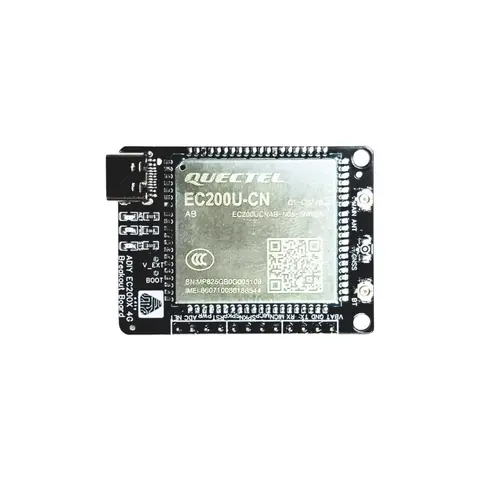
Wireless Modules
ADIY GSM EC200U 4G/2G BREAKOUT BOARD
The ADIY EC200U 4G LTE GSM Breakout Board is a high-performance Cat 1 solution designed for reliable wireless communication. It supports multiple modes, including LTE TDD, LTE-FDD, GSM with 2G fallback capability to…
₹1,516
Datasheet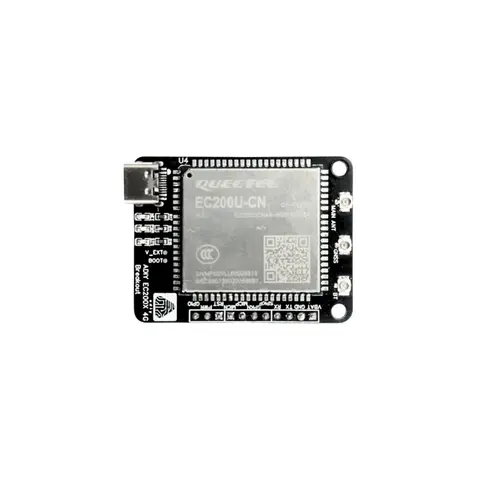
Wireless Modules
ADIY GSM EC200U 4G/2G GNSS BREAKOUT BOARD
The ADIY EC200U 4G LTE GNSS Breakout Board is a high-performance Cat 1 solution designed for reliable wireless communication. It supports multiple modes, including LTE TDD, LTE-FDD, GSM, GPRS, and EDGE, with 2G fallback…
₹1,720
Datasheet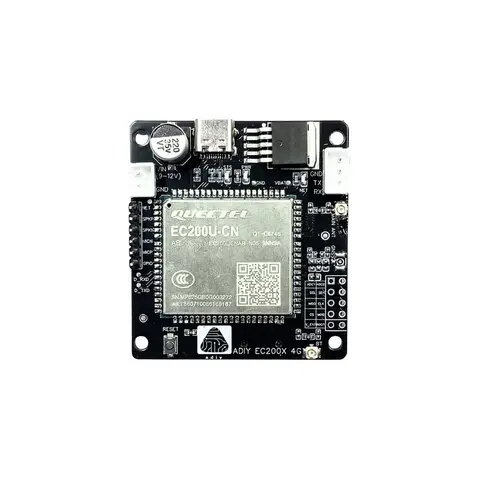
Wireless Modules
ADIY GSM EC200U 4G/2G LM39302 Board
The ADIY EC200U 4G LTE GSM Development Board is a high-performance Cat 1 solution designed for reliable wireless communication. It supports multiple modes, including LTE TDD, LTE-FDD, GSM and EDGE, with 2G fallback…
₹1,720
Datasheet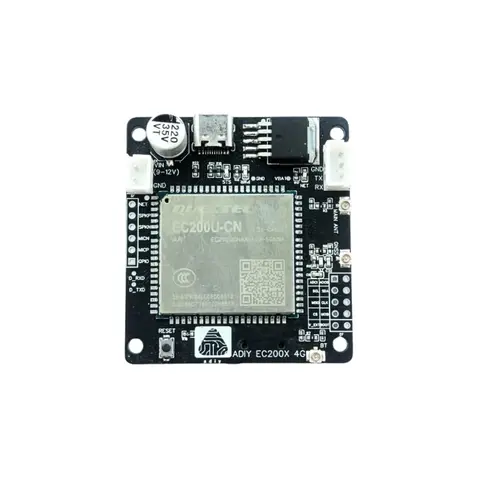
Wireless Modules
ADIY GSM EC200U 4G/2G GNSS LM39302 Board
The ADIY EC200U 4G LTE GNSS Development Board is a high-performance Cat 1 solution designed for reliable wireless communication. It supports multiple modes, including LTE TDD, LTE-FDD, GSM, GPRS, and EDGE, with 2G…
₹1,940
Datasheet
Share