Interfacing & Displaysintermediateadiy labs
W5500 Ethernet on Pico and Arduino: SPI to Working TCP
W5500 hardware TCP/IP on Pico and Arduino: SPI wiring, chip select, MAC and IP setup, a working TCP client and server, and link troubleshooting.
By ADIY13 min read
Technical review pending. Figures marked “verify” or “check your part” have not been confirmed against your exact hardware revision. Check the manufacturer datasheet before relying on them in a design.
Wi-Fi is the default answer for connecting a microcontroller, and for a lot of industrial work it is the wrong one. The W5500 puts a complete TCP/IP stack in silicon and hands you a socket over SPI, which means an 8-bit AVR can hold eight simultaneous connections without a software stack eating its memory.
1. Why hardware TCP/IP still matters#
Implementing TCP properly is not a small job. Segmentation, sequence numbers, acknowledgements, retransmission timers, congestion control, checksums, ARP, ICMP. A software stack doing all of that consumes a serious fraction of a small microcontroller's flash and RAM, and competes with your application for processing time.
The W5500 does it in hardware. WIZnet describes it as a hardwired TCP/IP embedded Ethernet controller, supporting TCP, UDP, IPv4, ICMP, ARP, IGMP and PPPoE in silicon.
| Feature | Value | Status |
|---|---|---|
| Protocol stack | Hardwired TCP, UDP, IPv4, ICMP, ARP, IGMP, PPPoE | WIZnet (source stated) |
| Simultaneous sockets | 8 independent hardware sockets | WIZnet (source stated) |
| Internal buffer | 32 kB, split between TX and RX, allocatable per socket | WIZnet (source stated) |
| Host interface | SPI | WIZnet (source stated) |
| SPI speed supported | Up to 80 MHz | WIZnet (source stated) |
| SPI modes | Mode 0 and Mode 3 | WIZnet (source stated) |
When wired beats wireless#
- Deterministic latency. No contention for airtime, no retries because someone started a microwave.
- No RF environment to survive. Factories are electrically hostile and full of metal. Ethernet does not care.
- Site policy. Many industrial and institutional networks simply do not permit unmanaged Wi-Fi devices. A wired port is often the only sanctioned option.
- No channel planning or access point coverage design.
- Power over the same cable is possible with PoE hardware, though the W5500 itself does not provide PoE.
The cost is a physical cable to every device. Where the cable run already exists or is easy, wired is usually the better engineering answer for fixed equipment.
2. The two ADIY options#
| Board | What it is | Use when |
|---|---|---|
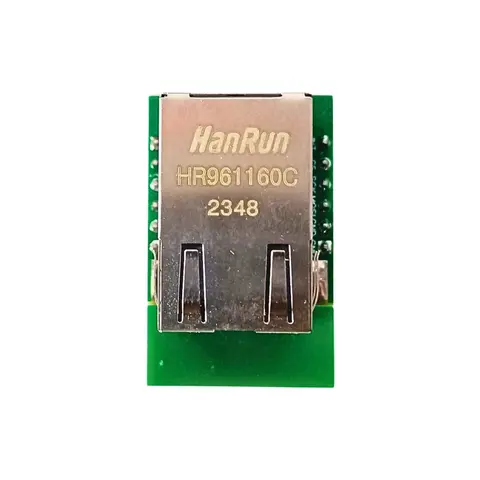
| W5500 SPI to LAN Converter | A W5500 breakout with RJ45, connecting over SPI to any microcontroller. | Adding Ethernet to an existing design, whether Arduino, ESP32, STM32 or Pico. |
| W5500-EVB-Pico RP2040 (Type C) | RP2040 and W5500 on one board, already wired together. | New designs. No SPI wiring to get wrong, smaller, and one part to order. |
3. SPI wiring#
If you are using the separate converter board, this is the connection set.
| W5500 pin | Arduino UNO | ESP32 | Pico | Note |
|---|---|---|---|---|
| MOSI | 11 | 23 | GP19 | Data to the W5500 |
| MISO | 12 | 19 | GP16 | Data from the W5500 |
| SCLK | 13 | 18 | GP18 | Clock |
| SCS (chip select) | 10 | 5 | GP17 | Any GPIO; must be declared in code |
| RST | Optional GPIO | Optional | Optional | Useful for recovering a wedged chip |
| INT | Optional GPIO | Optional | Optional | For interrupt-driven operation |
| 3V3 | 3.3 V supply | See voltage note below | ||
| GND | Common ground | Mandatory |
4. MAC and IP addressing#
The MAC address#
The W5500 does not carry a globally unique MAC address from the factory. You assign one in software.
Static versus DHCP#
| Approach | Advantages | Disadvantages |
|---|---|---|
| Static IP | Deterministic, no dependency on a DHCP server, faster startup, address known in advance | Must be managed; risk of collision if the network changes |
| DHCP | Plug and play, works on unknown networks | Depends on a server, address can change, adds startup delay and failure modes |
For fixed industrial equipment, static addressing is usually the right choice, ideally as a DHCP reservation on the server so the address is centrally managed but the device still gets it automatically. Whatever you choose, handle failure: a device that cannot get an address should retry and report, not sit silently.
5. Working code#
/*
 * ADIY Labs — W5500 TCP client
 *
 * Connects to a server, sends a JSON telemetry line, reads the
 * response, closes cleanly. Falls back from DHCP to a static
 * address rather than giving up.
 *
 * Library: Ethernet (Arduino) or Ethernet_Generic for RP2040.
 *
 * NOT bench-verified in this revision.
 */
#include
#include
#define W5500_CS   10      // chip select; change per board
#define W5500_RST  9       // optional hardware reset
// MUST be unique on your network. See section 4 — do not ship
// twenty units with this same address baked in.
byte mac[] = { 0xDE, 0xAD, 0xBE, 0xEF, 0xFE, 0x01 };
// Fallback if DHCP fails. Adjust to your subnet.
IPAddress staticIp (192, 168, 1, 50);
IPAddress dnsIp    (192, 168, 1, 1);
IPAddress gateway  (192, 168, 1, 1);
IPAddress subnet   (255, 255, 255, 0);
const char* SERVER_HOST = "192.168.1.100";
const uint16_t SERVER_PORT = 8080;
EthernetClient client;
void hardwareReset() {
#ifdef W5500_RST
  pinMode(W5500_RST, OUTPUT);
  digitalWrite(W5500_RST, LOW);
  delay(10);
  digitalWrite(W5500_RST, HIGH);
  delay(200);        // let the PHY come up
#endif
}
bool bringUpNetwork() {
  Ethernet.init(W5500_CS);
  hardwareReset();
  // Is the chip even there? This check saves a lot of time.
  if (Ethernet.hardwareStatus() == EthernetNoHardware) {
    Serial.println("FATAL: no W5500 found. Check SPI wiring and CS pin.");
    return false;
  }
  // Is a cable plugged in? Distinguishes a link problem from
  // a configuration problem before you start guessing.
  if (Ethernet.linkStatus() == LinkOFF) {
    Serial.println("WARNING: no link. Check cable and switch port.");
  }
  Serial.println("Trying DHCP...");
  if (Ethernet.begin(mac, 15000) == 0) {
    Serial.println("DHCP failed. Using static address.");
    Ethernet.begin(mac, staticIp, dnsIp, gateway, subnet);
  }
  Serial.print("IP: ");   Serial.println(Ethernet.localIP());
  Serial.print("Mask: "); Serial.println(Ethernet.subnetMask());
  Serial.print("GW: ");   Serial.println(Ethernet.gatewayIP());
  // 0.0.0.0 means we have no usable address at all.
  if (Ethernet.localIP() == IPAddress(0, 0, 0, 0)) {
    Serial.println("FATAL: no IP address.");
    return false;
  }
  return true;
}
bool sendTelemetry(const char* json) {
  Serial.print("Connecting... ");
  if (!client.connect(SERVER_HOST, SERVER_PORT)) {
    Serial.println("failed.");
    return false;
  }
  Serial.println("connected.");
  // Minimal HTTP POST. Content-Length computed, not hard-coded.
  client.println("POST /api/telemetry HTTP/1.1");
  client.print  ("Host: ");           client.println(SERVER_HOST);
  client.println("Content-Type: application/json");
  client.print  ("Content-Length: "); client.println(strlen(json));
  client.println("Connection: close");
  client.println();                // blank line ends headers
  client.print(json);
  // Read the response with a timeout. Never loop forever
  // waiting on a network peer.
  uint32_t start = millis();
  while (client.connected() && millis() - start < 5000) {
    while (client.available()) {
      Serial.write(client.read());
      start = millis();          // reset timeout on activity
    }
  }
  client.stop();
  Serial.println("\nClosed.");
  return true;
}
void setup() {
  Serial.begin(115200);
  while (!Serial && millis() < 3000) { }
  Serial.println("\n=== ADIY W5500 Ethernet ===");
  if (!bringUpNetwork()) return;
  sendTelemetry("{\"device\":\"adiy-eth-01\",\"temp\":31.4}");
}
void loop() {
  // If using DHCP, this renews the lease. Omitting it means
  // the device silently loses its address when the lease expires,
  // typically hours or days later. A classic field failure.
  Ethernet.maintain();
}
TCP client with hardware detection, link check, DHCP fallback and response timeout.
6. Running as a server#
The W5500's eight sockets make it practical to accept incoming connections, for example to serve a small status page from a device on a plant network.
// Minimal server pattern. Remember each connection occupies
// one of the eight hardware sockets, so close them promptly.
EthernetServer server(80);
void setup() {
  // ...network bring-up as above...
  server.begin();
}
void loop() {
  EthernetClient c = server.available();
  if (!c) return;
  // Consume the request. Not parsing it properly is fine for
  // a status page but do not build a real API this way.
  while (c.connected() && c.available()) c.read();
  c.println("HTTP/1.1 200 OK");
  c.println("Content-Type: text/html");
  c.println("Connection: close");
  c.println();
  c.println("ADIY deviceRunning.");
  delay(1);
  c.stop();          // free the socket, or you run out
  Ethernet.maintain();
}7. Troubleshooting#
| Symptom | Likely cause | Check |
|---|---|---|
EthernetNoHardware | SPI wiring or wrong CS pin | Verify MOSI, MISO, SCLK, CS. Confirm Ethernet.init() has the right pin. |
| Link LED off | Cable, switch port, or PHY not powered | Try another cable and port. Check the 3.3 V supply. |
| IP is 0.0.0.0 | DHCP failed | Was the cable connected at boot? Try a static address to isolate. |
| Works, then stops after hours | Ethernet.maintain() not called | DHCP lease expired. Add it to loop(). |
| Two devices intermittently unreachable | Duplicate MAC addresses | Make the MAC unique per unit. See section 4. |
| Device stops accepting connections | Sockets exhausted | Ensure every connection is closed with stop(). |
| Intermittent corruption at speed | SPI signal integrity or missing level shifting | Shorten wires. Lower SPI clock to test. Verify logic levels. |
| Resets when the PHY comes up | 3.3 V supply cannot carry the PHY | Measure the rail during link negotiation. |
| Pings work, TCP does not | Firewall, wrong port, or server not listening | ICMP is handled by the W5500 itself, so this points away from the chip. |
FAQ#
What does hardwired TCP/IP mean on the W5500?
The protocol stack is implemented in silicon rather than in software on your microcontroller. WIZnet documentation states it supports TCP, UDP, IPv4, ICMP, ARP, IGMP and PPPoE in hardware. Your MCU writes to a socket over SPI and the chip handles segmentation, acknowledgements, retransmission and checksums, freeing substantial flash, RAM and processing time.
How many simultaneous connections can the W5500 handle?
Eight. WIZnet documentation states eight independent hardware sockets usable simultaneously, sharing a 32 kB internal buffer split between transmit and receive and allocatable across sockets.
Why does my W5500 get an IP of 0.0.0.0?
Usually DHCP failure. Common causes are the cable not being connected when the code ran, a switch port on a VLAN without a DHCP server, or the request timing out. Check the link LED first, then try a static IP to separate a DHCP problem from a hardware one.
What MAC address should I use for a W5500?
The chip carries no globally unique address, so you assign one. On a private network any locally administered address works if it is unique there. For a product shipped in volume, obtain a proper MAC block or use a board with a MAC EEPROM, because duplicate addresses cause intermittent faults that are very hard to diagnose.
Should I use Ethernet instead of WiFi for an industrial project?
Often yes. Ethernet gives deterministic latency, immunity to radio interference, no channel planning, and it is frequently what site network policy permits. The trade is a cable to every device. For fixed equipment where a cable run exists, wired is usually more reliable.
Sources#
Sources and further reading#
- WIZnet, W5500 Datasheet. Source for the hardwired protocol list, eight socket count, 32 kB buffer, SPI speed and supported SPI modes.
- WIZnet product documentation for the W5500 and the W5500-EVB-Pico.
- Arduino Ethernet library documentation for the API used in the examples.
Products & resources
- ADIY Ethernet HAT datasheet
- ADIY Pico RP2040 Evaluation Board with W5500 Datasheet
- ADIY FLY Pico RP2040 Type C Datasheet
- Pico-RP2040-IO-Expansion-Shield Datasheet
Interface Modules
ADIY W5500 TCP / IP SPI to LAN Ethernet Interface Converter
W5500 TCP / IP SPI to LAN Ethernet Interface SPI to LAN / Ethernet Converter 80MHz high-speed SPI interface Built-in hardware TCPIP protocol stack Support up to 8 Socket connections Support TCP, UDP, ICMP, IPv4, ARP,…
₹466
Datasheet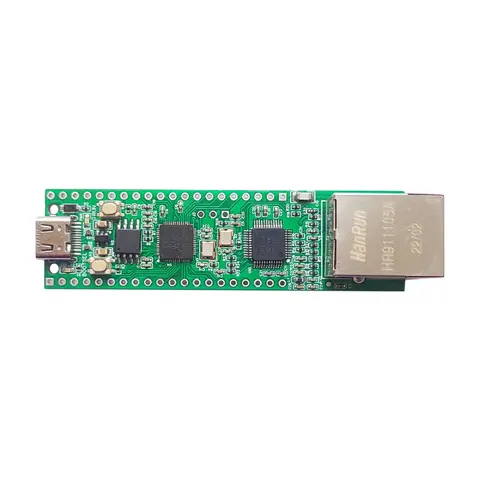
Pico RP2040
ADIY W5500 EVB PICO RP2040 (Type C)
ADIY Pico RP2040 Evaluation Board with W5500 , a cutting-edge microcontroller evaluation board from ADIY, merges the power of the Raspberry Pi RP2040 with the seamless Ethernet connectivity of the W5500. This innovative…
₹788
Datasheet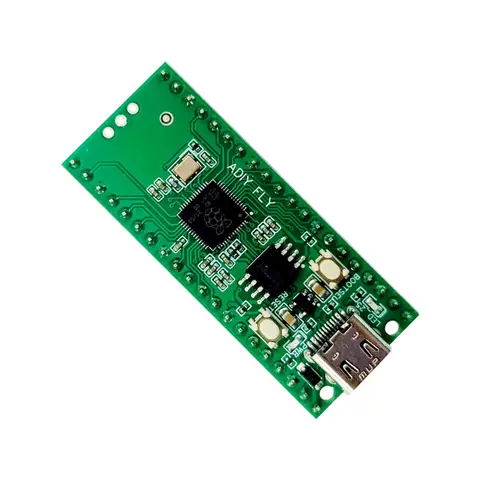
Pico RP2040
RP2040 Pico Board Type C- ADIY FLY
RP2040 Pico Board – Type C ADIY FLY ADIY Fly Type C Pico Board is a powerhouse designed for professional users seeking unparalleled power and flexibility. it comes with a dual-core RP2040 processor and 4MB Flash memory,…
₹439
Datasheet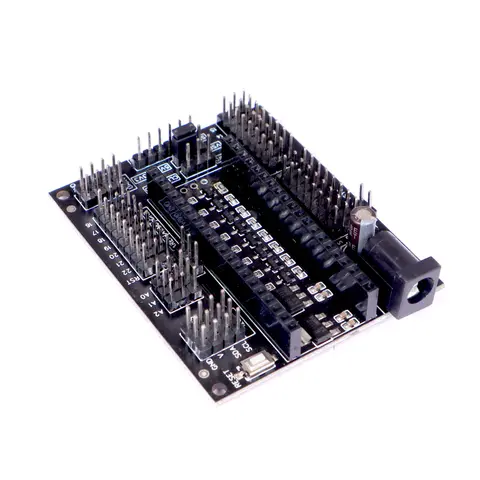
Pico RP2040
ADIY IO Expansion module for Raspberry Pi Pico
RP2040 Pico Expansion Board – Enhance Your Pico RP2040 Projects with the Pico RP2040 IO Expansion Shield The RP2040 Pico Expansion Board by ADIY acts as a versatile breakout board for the Pico RP2040, simplifying the…
₹202
Datasheet
Share