Development Boardsbeginnerselection guide
ESP32 vs ADIY UNO R3: Which Microcontroller Should You Choose? (2026 Guide)
ESP32 or ADIY UNO R3? Compare specs, Wi-Fi and Bluetooth, power, ease of learning and price to pick the right board for your project.
By ADIY12 min read
Technical review pending. Figures marked “verify” or “check your part” have not been confirmed against your exact hardware revision. Check the manufacturer datasheet before relying on them in a design.
1. Introduction — The Microcontroller Dilemma Every Maker Faces#
Welcome to 2026! The world of embedded systems and DIY electronics in India is booming faster than ever. Whether you're an engineering student working on your final year project, a hobbyist building a smart home, or an engineer prototyping a new industrial device, you've likely faced a massive crossroads in component selection.
The most common debate in makerspaces across the country? ESP32 vs Arduino UNO (specifically our robust, Make-in-India ADIY UNO R3). Choosing the right development board is absolutely critical. Pick a board that's too simple, and you might lack the processing power or wireless connectivity required for modern IoT projects. Pick a board that's too complex, and you might spend weeks debugging driver issues and complex pin mappings when all you wanted to do was blink a few LEDs or read an analog sensor.
In this comprehensive guide, the ADIY Engineering Team breaks down the battle between the ESP32 and the ADIY UNO R3. We’ll look deeply into their specifications, processing capabilities, power requirements, connectivity, and real-world Indian pricing. By the end of this guide, you will know exactly which microcontroller is the best fit for your 2026 project!
2. Quick Summary Table: Specs Side-by-Side#
Before diving into the intricate details of each board, let's take a look at the hard numbers. Here is a direct spec-by-spec comparison between the standard ESP32 development board and the ADIY UNO R3.
| Specification | ADIY UNO R3 | ESP32 (Standard Dev Board) |
|---|---|---|
| Microcontroller | ATmega328P | Xtensa Dual-Core 32-bit LX6 |
| Clock Speed | 16 MHz | 160 or 240 MHz |
| SRAM | 2 KB | 520 KB |
| Flash Memory | 32 KB (0.5 KB used by bootloader) | Usually 4 MB |
| Operating Voltage | 5V | 3.3V |
| Digital I/O Pins | 14 (6 provide PWM output) | 34 (Most support PWM) |
| Analog Input Pins | 6 (10-bit ADC) | 18 (12-bit ADC) |
| DAC (Analog Output) | None | 2 (8-bit DAC) |
| Wireless Connectivity | None (Requires external shield) | Wi-Fi (802.11 b/g/n) & Bluetooth (v4.2 BR/EDR & BLE) |
| Power Consumption (Active) | ~20mA - 40mA | ~80mA (Up to 240mA when transmitting WiFi) |
3. ADIY UNO R3 Deep Dive#
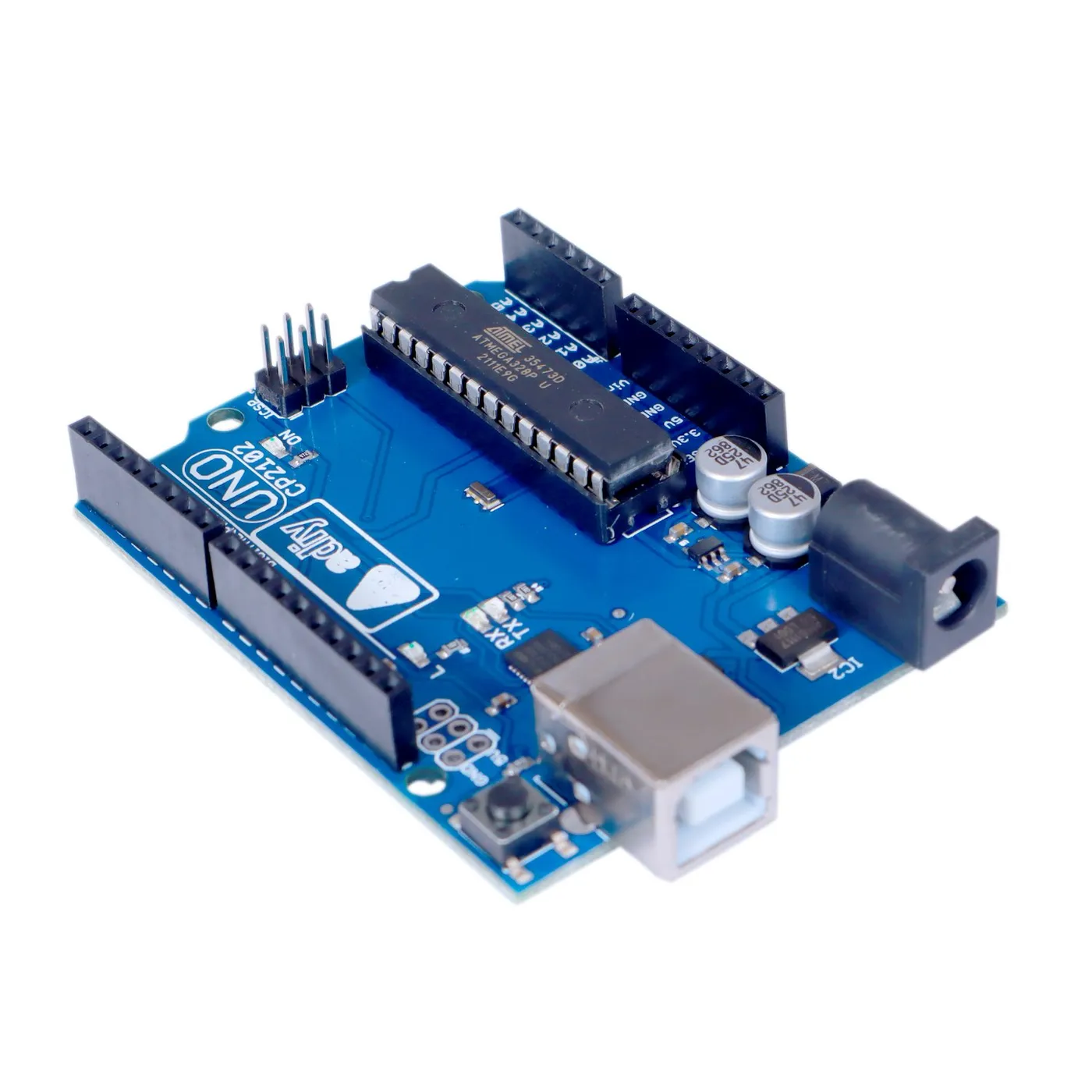
The ADIY UNO R3 is a high-quality, Make-in-India clone of the legendary Arduino UNO R3. It is built around the classic Microchip ATmega328P 8-bit AVR microcontroller. For over a decade, this architecture has been the gold standard for learning electronics, embedded programming, and rapid prototyping.
Key Strengths of the ADIY UNO R3:#
- 5V Logic Level: This is arguably its biggest advantage for beginners. A massive ecosystem of cheap, readily available sensors, relays, and motor drivers operate natively at 5V. With the ADIY UNO, you can plug these directly into the GPIO pins without worrying about voltage dividers or level shifters.
- Simplicity and Stability: The ATmega328P is a single-core, 8-bit chip running at 16MHz. While that sounds slow, it is highly deterministic. There is no complex RTOS (Real-Time Operating System) running in the background. When you write a line of code to toggle a pin, it toggles precisely when you expect it to.
- Robust Power Handling: You can supply anywhere from 7V to 12V via the barrel jack, and the onboard voltage regulator handles it beautifully to provide a stable 5V output for your components.
- Unmatched Community Support: If you face an error with an UNO, someone on the internet has already solved it. The library support for literally any sensor is guaranteed to work out-of-the-box on an UNO architecture.
Here is an example of just how simple it is to control a standard 5V Relay Module using the ADIY UNO R3:
Arduino C++ (UNO R3)
// Simple Relay Control with ADIY UNO R3
const int relayPin = 8; // Connected to IN pin of 5V Relay module
void setup() {
  pinMode(relayPin, OUTPUT);
  Serial.begin(9600);
  Serial.println("ADIY UNO Initialized");
}
void loop() {
  digitalWrite(relayPin, HIGH); // Turn Relay ON
  Serial.println("Relay is ON");
  delay(2000); // Wait 2 seconds

  digitalWrite(relayPin, LOW);  // Turn Relay OFF
  Serial.println("Relay is OFF");
  delay(2000); // Wait 2 seconds
}
4. ESP32 Deep Dive#
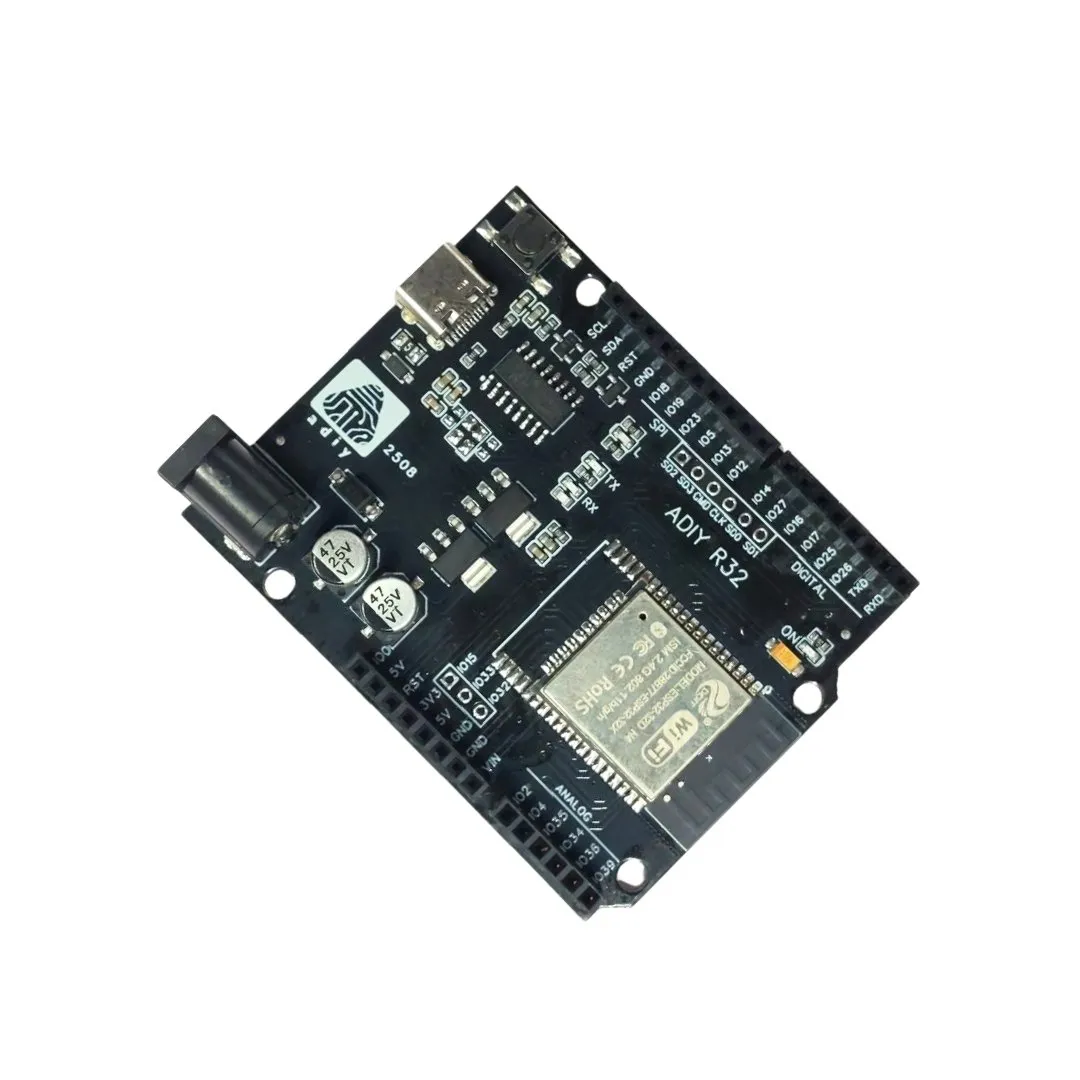
Developed by Espressif Systems, the ESP32 was a massive leap forward for the maker community. It took the Wi-Fi capabilities of its predecessor (the ESP8266) and turbocharged it with a dual-core Xtensa 32-bit LX6 microprocessor running at up to 240 MHz.
Key Strengths of the ESP32:#
- Built-in Wi-Fi and Bluetooth: This is the ultimate IoT (Internet of Things) board. It features both 2.4 GHz Wi-Fi and Bluetooth (Classic and BLE - Bluetooth Low Energy) built right into the silicon. No messy external modules or shields required.
- Incredible Processing Power: With 240MHz dual cores and 520KB of SRAM, the ESP32 can handle complex mathematics, audio processing, running a web server, and SSL/TLS encryption simultaneously.
- Advanced Peripherals: It offers capacitive touch pins, 12-bit ADCs (Analog to Digital Converters), two 8-bit DACs (Digital to Analog Converters for audio output), and hardware-accelerated cryptography.
- Deep Sleep Modes: Despite its high active power consumption, the ESP32 features incredible power management. You can put the board into a deep sleep state where it draws a mere 10µA (microamps), making it perfect for battery-powered smart sensors that wake up, send data over Wi-Fi, and go back to sleep.
Connecting an ESP32 to Wi-Fi is surprisingly straightforward using the Arduino IDE:
Arduino C++ (ESP32)
// ESP32 Wi-Fi Connection Example
#include <WiFi.h>
const char* ssid = "YOUR_WIFI_NAME";
const char* password = "YOUR_WIFI_PASSWORD";
void setup() {
  Serial.begin(115200);
  delay(1000);

  Serial.print("Connecting to ADIY Network...");
  WiFi.begin(ssid, password);

  while (WiFi.status() != WL_CONNECTED) {
    delay(500);
    Serial.print(".");
  }

  Serial.println("");
  Serial.println("WiFi connected successfully!");
  Serial.print("IP Address: ");
  Serial.println(WiFi.localIP());
}
void loop() {
  // Your IoT code here
}5. Key Differences Explained#
Processing Power and Memory#
The ADIY UNO R3 is an 8-bit microcontroller running at 16MHz. It executes simple instructions beautifully but struggles with complex math (like floating-point operations) or processing large arrays of data. With only 2KB of SRAM, trying to load complex graphics for an OLED screen or handling large JSON strings will result in memory crashes.
The ESP32 is a 32-bit beast running at 240MHz. It has 520KB of SRAM and typically 4MB of Flash memory. It can handle parsing massive API responses, running FreeRTOS tasks on dual cores, and serving web pages without breaking a sweat.
Connectivity#
If your project needs to connect to the internet, talk to a smartphone, or communicate with a cloud server (AWS, Blynk, ThingSpeak), the ESP32 is the undisputed champion. It has Wi-Fi and Bluetooth built-in.
To give the ADIY UNO internet access, you have to attach external hardware, like an ESP01 module or an Ethernet shield. This adds cost, complexity, and takes up valuable pins.
Voltage Levels & Level Shifting#
This is where the ADIY UNO shines. Because the UNO uses 5V logic, it is universally compatible with thousands of cheap modules, sensors, and relays available in the Indian market. You plug it in, and it works.
The ESP32 uses 3.3V logic. While many modern sensors (like the BME280 or MPU6050) support 3.3V natively, many legacy modules do not. You have to be incredibly careful when wiring an ESP32 to avoid frying its pins with a 5V signal.
Power Consumption#
When running actively, the ADIY UNO is relatively low power (around 40mA). However, it lacks advanced sleep modes compared to modern chips.
The ESP32 is power-hungry when Wi-Fi is active (drawing up to 240mA during transmission spikes). However, its deep sleep mode is legendary. If you are building a soil moisture sensor that runs on an 18650 Li-Ion battery, wakes up once an hour to post data, and goes to sleep, the ESP32 can run for months on a single charge.
Community and Library Support#
Both boards are supported by the Arduino IDE. However, the UNO architecture (AVR) has been around much longer. If you buy a random obscure sensor from a local electronics shop, the provided example code is almost certainly written for the UNO. ESP32 libraries have caught up significantly, but you may occasionally encounter libraries that haven't been ported or optimized for the ESP32's RTOS environment.
6. Use-Case Decision Matrix#
Still not sure? Here is a practical decision matrix compiled by our engineers to help you choose based on your specific project requirements:
| Project Type | Recommended Board | Why? |
|---|---|---|
| Simple LED/Buzzer & Learning | ADIY UNO R3 | No driver headaches, 5V safety, massive tutorial base. Perfect for schools. |
| Smart Home / IoT Devices | ESP32 | Built-in Wi-Fi makes connecting to home routers and cloud servers effortless. |
| Heavy Motor Control (Robotics) | ADIY UNO R3 | Most L298N or L293D motor shields are designed specifically to snap onto the UNO form factor operating at 5V. |
| MQTT / Cloud Dashboards | ESP32 | Easily handles the TLS encryption required by modern cloud brokers (AWS IoT, Google Cloud). |
| Battery-Powered Remote Sensors | ESP32 | Deep sleep mode allows for microamp current draw, extending battery life significantly. |
| Real-Time Deterministic Control | ADIY UNO R3 | No background Wi-Fi or RTOS tasks means timing for strict protocols (like Neopixel bit-banging) is highly reliable. |
7. Can You Use Both Together?#
Absolutely! Many advanced projects use both microcontrollers in a master-slave configuration.
For example, you might be building a large CNC machine or a complex robot. You can use the ADIY UNO R3 to handle the low-level, real-time deterministic tasks—like reading precise rotary encoders, controlling stepper motor timings, and interfacing with 5V industrial sensors.
You can then connect the UNO to an ESP32 via a Serial UART connection (using a level shifter!). The ESP32 acts as the "brain," hosting a web-based dashboard, receiving commands over Wi-Fi from your smartphone, and passing those high-level commands down to the UNO to execute. It's the best of both worlds!
8. Price Comparison in India#
Cost is always a factor, especially for students building final year engineering projects or startups looking to scale a hardware prototype.
- ADIY UNO R3: As a Make-in-India product, the ADIY UNO is incredibly affordable, typically ranging between ₹450 to ₹600 depending on the variant (SMD vs DIP IC). Because you don't need complex level shifters or special 3.3V sensors, the overall project cost stays very low.
- ESP32 Dev Board: Standard ESP32 NodeMCU style development boards usually cost between ₹400 to ₹650 in the Indian market. While the board price is comparable, keep in mind that you may need to purchase 3.3V logic level converters or specialized 3.3V sensors, which can slightly increase the total bill of materials (BOM).
9. Verdict & Recommendation#
So, which microcontroller should you choose in 2026?
Choose the ADIY UNO R3 if: You are an absolute beginner, a school student, a teacher, or someone working on a project that involves lots of standard 5V sensors, motors, and relays but DOES NOT require internet access. The UNO is practically indestructible, incredibly easy to learn, and forms the foundation of embedded engineering knowledge.
Choose the ESP32 if: You are building an IoT project, need Wi-Fi or Bluetooth, want to build a smart home device, or require heavy processing power (like reading audio or driving complex displays). The ESP32 is the modern standard for connected devices.
At ADIY, we believe every maker's toolkit should have at least one of both! You can find high-quality versions of these boards and all compatible sensors directly on our website.
10. Frequently Asked Questions (FAQ)#
Which is better for a beginner: ESP32 or ADIY UNO R3?
The ADIY UNO R3 is generally better for absolute beginners because of its simplicity, 5V logic which works with most standard sensors natively, and massive community support with endless tutorials.
Can I program an ESP32 using the Arduino IDE?
Yes, absolutely! By adding the ESP32 board manager URL in the Arduino IDE preferences, you can write and upload C++ code to the ESP32 just like you would with an Arduino UNO.
Do ESP32 sensors work with ADIY UNO R3?
It depends on the operating voltage. ESP32 operates at 3.3V, while the ADIY UNO R3 operates at 5V. If you use a 3.3V sensor with a 5V UNO, you might need a logic level converter to prevent damaging the sensor.
Which board is better for IoT projects?
The ESP32 is significantly better for IoT projects because it features built-in Wi-Fi and Bluetooth connectivity, a much faster dual-core processor, and more memory to handle complex network protocols.
Products & resources
Arduino Compatible
Uno R3 – Compatible CP2102
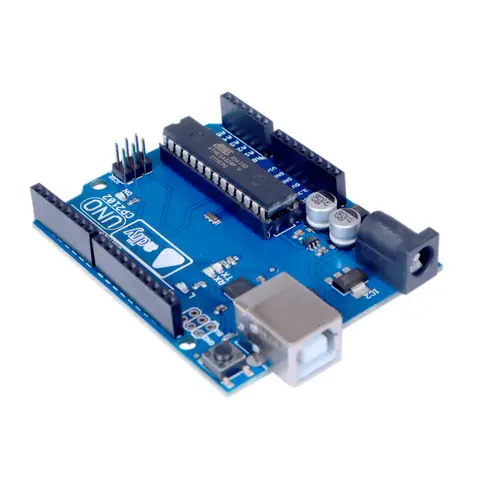
The ADIY Uno R3 CP2102 ATmega328P Development Board is a cost-effective alternative to the popular Arduino Uno R3. It is designed for beginners and professionals alike, offering robust performance and reliability. Key…
₹552
Datasheet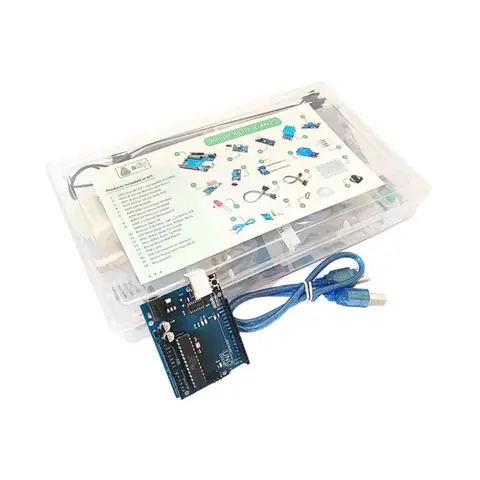
Arduino Compatible
UNO R3 Beginner kit – ADIY
ADIY Uno R3 Beginners Kit is a Stepping Stone for beginners who want to learn about electronic sensors and are excited to make projects. Beginners can learn the basics of UNO programming. Great for Starting with Arduino…
₹1,469
Datasheet
Share