Sensorsbeginnercomponent deep dive
DHT11 in the Real World: Accuracy, Timing and When to Upgrade
What the DHT11 datasheet really promises on accuracy, range and sampling rate, why libraries return NaN, and when to move to a DHT22, SHT or BME280.
By ADIY11 min read
Technical review pending. Figures marked “verify” or “check your part” have not been confirmed against your exact hardware revision. Check the manufacturer datasheet before relying on them in a design.
The DHT11 is usually the second component anyone buys after an LED, and it does its job well. It is also asked to do things it cannot, by people who read the resolution figure and assumed it was the accuracy figure. Those are different numbers and the gap between them is where projects go wrong.
1. What the datasheet actually promises#
| Parameter | Value | Status |
|---|---|---|
| Humidity range | 20 to 90 % RH | Datasheet (source stated) |
| Humidity accuracy | ±5 % RH | Datasheet (source stated) |
| Humidity resolution | 1 % RH | Datasheet (source stated) |
| Temperature range | 0 to 50 °C | Datasheet (source stated) |
| Temperature accuracy | ±2 °C | Datasheet (source stated) |
| Temperature resolution | 1 °C | Datasheet (source stated) |
| Maximum sampling rate | 1 Hz, once per second | Datasheet (source stated) |
| Supply voltage | 3 to 5.5 V DC | Datasheet (source stated) |
| Interface | Single-wire, two-way serial | Datasheet (source stated) |
| Communication duration | Approximately 4 ms per exchange | Datasheet (source stated) |
The range limits matter in India#
Two of those range figures are not academic here.
- Temperature stops at 50 °C. Ambient air rarely reaches that, but the inside of a sealed enclosure in direct sun during a north Indian summer comfortably can. Above the range, the reading is not defined.
- Humidity stops at 20 % RH. Dry winter conditions in northern India fall below this. The sensor will report something, but not a valid measurement.
- Temperature starts at 0 °C. If your product might see sub-zero conditions in a hill station or a cold chain application, the DHT11 is simply the wrong part.
2. The single-wire protocol, and why timing is fragile#
The DHT11 does not use I2C or SPI. It uses a proprietary single-wire protocol where the same line carries data in both directions, with bit values encoded as pulse durations.
The sequence, in outline:
- The host pulls the line low for a defined start period
- The host releases; the pull-up brings the line high
- The sensor responds by pulling low, then high, as an acknowledgement
- The sensor transmits 40 bits, each encoded as a low period followed by a high period whose duration determines whether the bit is 0 or 1
- The final 8 bits are a checksum over the preceding 32
3. Why your read failed#
| Symptom | Cause | Fix |
|---|---|---|
| NaN, or checksum failures in a tight loop | Reading faster than 1 Hz | Wait at least 1 s, preferably 2 s, between reads. |
| Always fails, bare sensor | No pull-up on the data line | Fit 4.7 kΩ to 10 kΩ to VCC. |
| Intermittent failures in a complex sketch | Interrupts disturbing bit timing | Reduce interrupt activity around the read, or retry on failure. |
| Fails with long wires | Capacitance and noise on the single wire | Keep the run short. A lower pull-up value can help marginally. |
| First read after power-up fails | Sensor not yet stable | Wait a second or two after power-up before the first read. |
| Temperature reads a few degrees high | Self-heating, or heat from nearby components | Mount away from regulators, the MCU and anything warm. |
| Humidity stuck at 20 or 90 | At the range limit | The sensor cannot measure beyond its range. Nothing to fix. |
| Works on Uno, fails on ESP32 | Timing differences and WiFi interrupts | Use a library that handles the platform. Retry on failure. |
4. Reading it properly#
/*
 * ADIY Labs — DHT11 with retry and range validation
 *
 * Demonstrates: respecting the 1 Hz limit, retrying on failure,
 * and checking readings against the datasheet range rather than
 * trusting whatever comes back.
 *
 * Library: DHT sensor library (Adafruit) or similar.
 *
 * NOT bench-verified in this revision.
 */
#include
#define DHT_PIN    2
#define DHT_TYPE   DHT11
// Datasheet says max 1 Hz. 2 s gives margin and costs nothing
// for an application measuring room conditions.
#define READ_INTERVAL_MS  2000UL
#define MAX_RETRIES       3
// Datasheet range. Readings outside this are not valid
// measurements, whatever the sensor returns.
#define T_MIN  0.0
#define T_MAX  50.0
#define H_MIN  20.0
#define H_MAX  90.0
DHT dht(DHT_PIN, DHT_TYPE);
uint32_t lastRead = 0;
// Read with retries. A single failure is normal and not
// worth reporting; three in a row is a real fault.
bool readSensor(float &temperature, float &humidity) {
  for (int attempt = 0; attempt < MAX_RETRIES; attempt++) {
    if (attempt > 0) delay(2000);   // respect 1 Hz on retry too
    float h = dht.readHumidity();
    float t = dht.readTemperature();
    // isnan() is the library's way of reporting a failed read,
    // usually a checksum mismatch.
    if (isnan(h) || isnan(t)) {
      Serial.print("Read failed, attempt ");
      Serial.println(attempt + 1);
      continue;
    }
    // A valid checksum does not mean a valid measurement.
    // Check the datasheet range explicitly.
    if (t < T_MIN || t > T_MAX) {
      Serial.print("WARNING: temperature outside 0-50C range: ");
      Serial.println(t);
    }
    if (h < H_MIN || h > H_MAX) {
      Serial.print("WARNING: humidity outside 20-90% range: ");
      Serial.println(h);
    }
    temperature = t;
    humidity    = h;
    return true;
  }
  return false;
}
void setup() {
  Serial.begin(115200);
  dht.begin();
  delay(2000);       // let the sensor settle before first read
  Serial.println("DHT11 ready.");
  Serial.println("Accuracy is +/-2C and +/-5%RH. Report accordingly.");
}
void loop() {
  if (millis() - lastRead < READ_INTERVAL_MS) return;
  lastRead = millis();
  float t, h;
  if (!readSensor(t, h)) {
    Serial.println("Sensor fault: 3 consecutive failures.");
    return;
  }
  // Print to 0 decimal places. Printing 25.00 C from a sensor
  // with 1 C resolution and 2 C accuracy implies a precision
  // that does not exist.
  Serial.print("Temperature: "); Serial.print(t, 0);
  Serial.print(" C  Humidity: ");  Serial.print(h, 0);
  Serial.println(" %");
}
DHT11 read with retry, interval enforcement and range validation.
5. When to use something else#
The DHT11 is inexpensive and adequate for a specific set of jobs. Here is where it stops being the right choice.
| Requirement | Move to | Because |
|---|---|---|
| Better than ±2 °C | DHT22, or an SHT-series sensor | Materially better specified accuracy. |
| Sub-zero temperatures | DHT22 or SHT | DHT11 range starts at 0 °C. |
| Above 50 °C | DHT22, or a dedicated temperature sensor | Outside DHT11 range. |
| Humidity below 20 % RH | DHT22 or SHT | Outside DHT11 range. |
| Faster than 1 Hz | An I2C sensor | DHT11 protocol and sampling rate limit you. |
| Several sensors on one bus | An I2C sensor | Each DHT needs its own GPIO. I2C parts share two wires. |
| Temperature only, high accuracy | A dedicated digital temperature sensor | Better accuracy, and you are not paying for humidity. |
| Barometric pressure as well | BME280 | Temperature, humidity and pressure in one I2C part. |
| Reliable reads in a busy RTOS application | An I2C sensor | No bit-banged timing to disturb. |
| Learning, demos, teaching | Stay with the DHT11 | Cheap, simple, well supported, entirely adequate. |
FAQ#
How accurate is the DHT11?
The datasheet specifies ±5 % RH and ±2 °C accuracy, with 1 % RH and 1 °C resolution. Resolution and accuracy differ: the sensor reports whole degrees, and that whole degree may be two degrees from the truth. If you need to distinguish 24 from 25 °C, the DHT11 cannot do it reliably.
Why does my DHT11 return NaN or fail to read?
Most commonly you are reading it too often; the datasheet specifies a maximum 1 Hz sampling rate. Other causes are a missing pull-up on the data line, wiring too long for the single-wire protocol, an unstable supply, or interrupts disturbing the bit-banged timing.
What is the DHT11 measurement range?
20 to 90 % RH and 0 to 50 °C. Both limits matter in India: it cannot measure below freezing, cannot measure above 50 °C which a sun-exposed enclosure can reach, and cannot report humidity below 20 % which occurs in dry northern winters.
Should I use a DHT11 or a DHT22?
DHT11 for learning, demonstrations and applications where whole-degree accuracy is genuinely sufficient. DHT22 when you need better accuracy, finer resolution or a wider range, particularly sub-zero. The DHT22 costs more and is otherwise similar to interface with.
Do I need a pull-up resistor on the DHT11 data line?
Yes. The protocol requires the line pulled high when neither side drives it, typically 4.7 kΩ to 10 kΩ to the supply. Three-pin breakout modules usually have it fitted; bare four-pin sensors usually do not. If reads fail intermittently on a bare sensor, check this first.
Sources#
Sources and further reading#
- Aosong Electronics, Temperature and Humidity Module DHT11 Product Manual. Source for accuracy, resolution, range, sampling rate, supply voltage and the single-wire protocol description.
- DHT11 technical data sheet, translated version, for the communication timing figures.
- Adafruit DHT sensor library documentation for the API used in the example.
Products & resources
- ADIY NTC Thermistor Temperature Sensor Module Datasheet
- Humidity and Temperature Sensor – DHT11 Datasheet
- Soil Moisture Sensor Datasheet
- ADIY UNO R3 beginners Kit datasheet
Temperature Sensors
NTC Thermistor Temperature Sensor Module
The NTC Thermistor temperature sensor module by ADIY is a low-cost, small-size module. It is very sensitive to ambient temperature. It is generally used to detect the temperature of the surrounding environment. Through…
₹38
Datasheet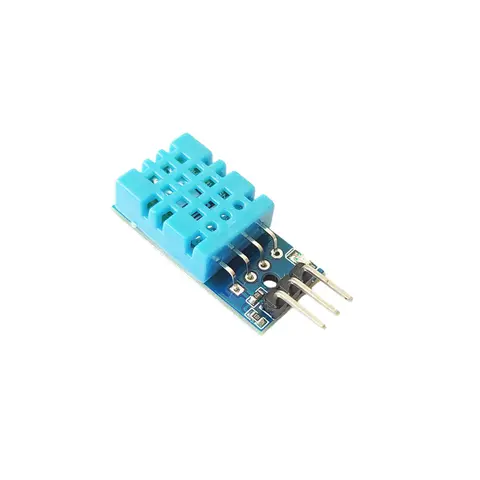
Temperature Sensors
DHT11 Sensor – Humidity and Temperature Sensor
DHT11 Sensor is a versatile and affordable device that accurately measures both humidity and temperature. Ideal for various applications, from smart homes to weather monitoring systems, it provides reliable data for…
₹85
Datasheet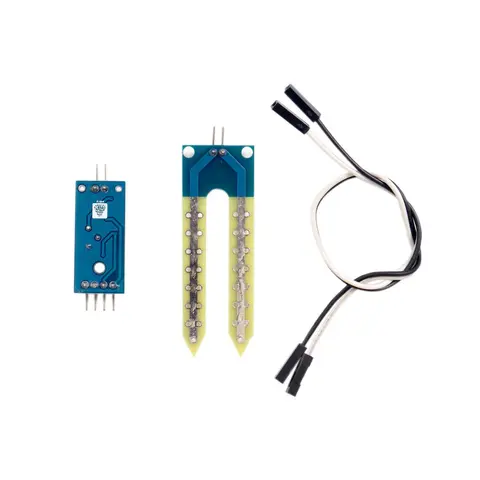
Temperature Sensors
Soil Moisture Sensor
A soil moisture sensor, as its name implies, is an appliance for monitoring the moisture levels in the soil. Integrating this tool into the irrigation system may allow for more precise watering scheduling than is…
₹47
Datasheet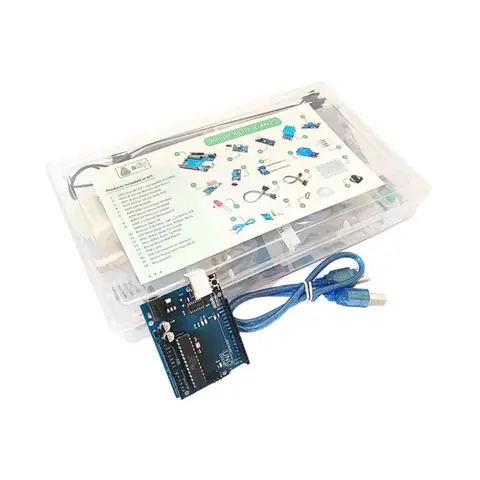
Arduino Compatible
UNO R3 Beginner kit – ADIY
ADIY Uno R3 Beginners Kit is a Stepping Stone for beginners who want to learn about electronic sensors and are excited to make projects. Beginners can learn the basics of UNO programming. Great for Starting with Arduino…
₹1,469
Datasheet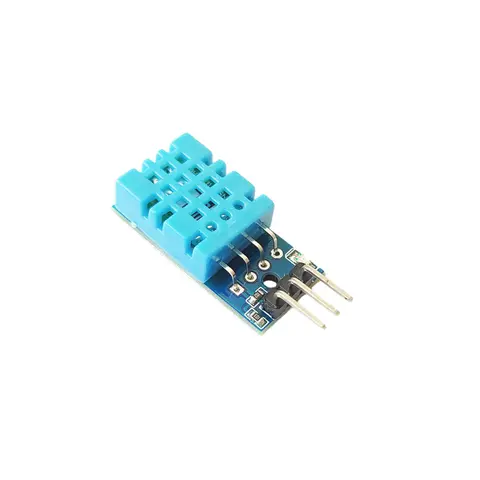
Temperature Sensors
ADIY DHT11 Sensor Module
This is a very popular, ultra-low cost digital temperature and humidity sensor. It uses a capacitive humidity sensor, and a thermistor to measure the surrounding air temperature. The result is available via a digital…
₹65
Share